Have you gone to another country that doesn’t speak English? Ever have trouble trying to communicate with the local people. Feeling frustrated with yourself because you have no idea how to say “where is the toilet?” Or actually understanding what is on that bottle that you want to buy is it the right product that you need. Worry not I have a solution for you. Now what you need is your iPhone iPad, android, computer and any other technology that you can carry around with you without doing your back in.
This app is called 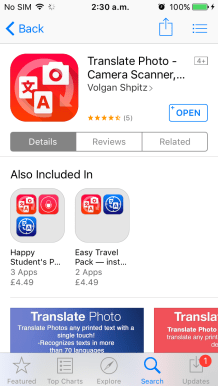 , it’s an amazing app that can translate to mostly any language that is popular. What it does is taking the picture of the image of letters and translate it into the language that you need. This app will save your life, your hair and your stomach will thank you for it. (My definitely did) so there is no need for you to poison yourself anymore, now you know what you are buying. I would also suggest for you to find a translator apps. A good translator I will help you communicate with the locals, I know, I know a lot of you out there will be saying actually translate app is not very accurate or very good. But do you prefer not to be able to say anything to the local or would sacrifice that bit of accuracy just so you could communicate with the people? Even though it would be through an app that is not that accurate but it still is getting across and communicate what you’re trying to say. (You can choose which direction you want to go to.)
Now for your laptop, I would recommend that you use Google Chrome or safari they would have translation widget that hopes translate any website that is in another language. It won’t be 100% accurate but at least, you know what you’re looking at and what you’re getting into. You don’t want to be signing up for any crazy schemes and being tricked into doing that because you don’t know what you’re signing up for. (So just be careful out there you never know what’s really is going to happen on the Internet. There is some crazy stuff happening even if it’s 1000 miles away from you. Scary right)
Video verison:
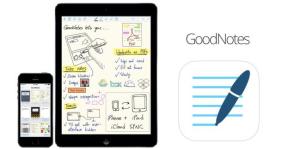 work for IPhone and IPad. You write on the device and once you finish you can easily just select the writing and convert it into text. The only thing you need to watch out for is on the iPhone and iPad there is a close up box, a zoom in the box and that need to be the smallest it would go. So that when it is converted from the handwriting to text it will fill the full page. If you don’t do it, once you get it to Word it would just fit half of the page and you going to have to sit there going back line by line to get it to a full sentence. (I made that mistake so learn from me, I wanted to bang my head on something.) On iPad The only fault would be that it is big and sometimes it hard to write on it if you’re not on a table or just in bed writing (who doesn’t do that) but luckily the armrest function works very well so you can rest your arm writing HOORAY! Overall it a good app and it sink very well from iPhone to iPad I use this the most. It is £5.99 but so totally worth it and there is are the function that you can do with the app but I don’t really use it much.
 Write Pad: work on Ipad and Iphone it will automatically change your handwriting in the text as you write, this is not my favourite app. As I have to wait for it to convert the writing, it’s really distracting me from my writing flow so it’s not really good for me. However, I am only a one person opinion a lot of you might like this app because of the fact that it turns the writing straight into text, you might sometimes need to train it to recognize your writing style. It cost £3.99.
 Writing